How does our Action Plan Template PDF work?
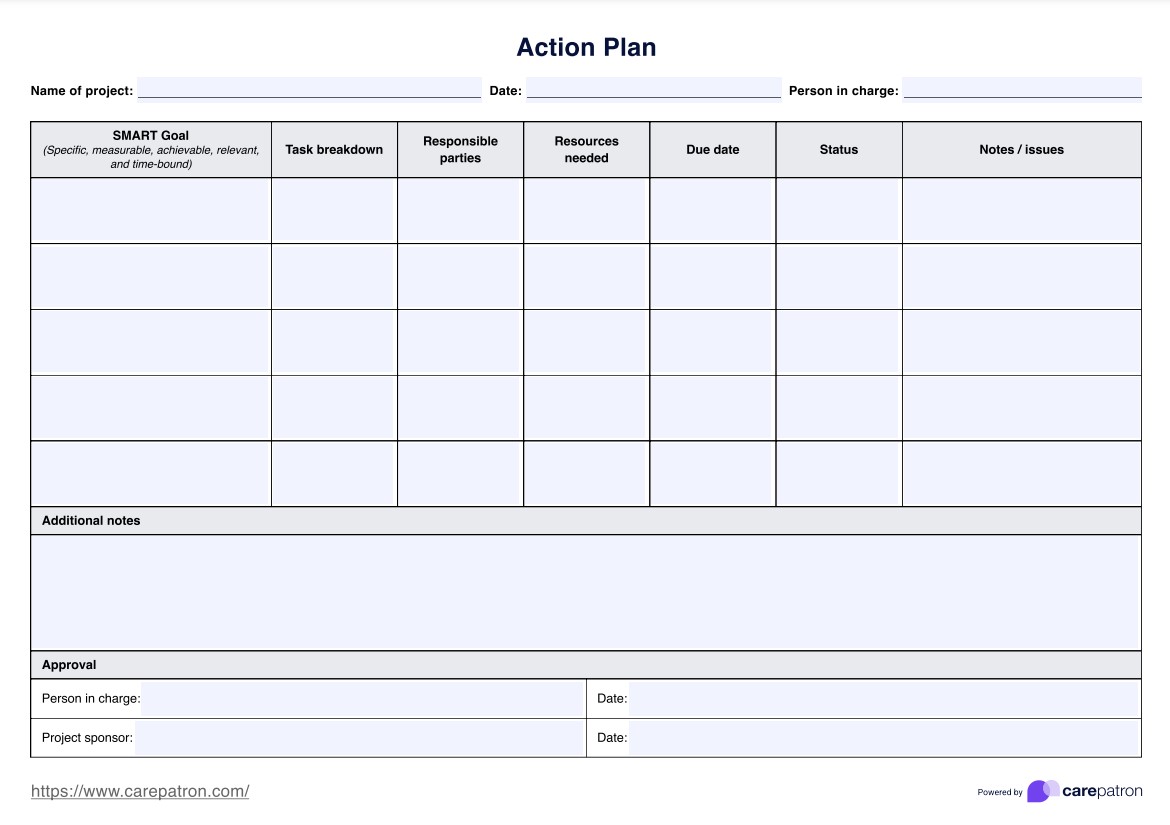
Using our Action Plan Template PDF can significantly enhance project management in healthcare settings. Here's a guide on how to implement this tool in practice once you have accessed the free Action Plan Templates on this page:
Step 1: Define the project and set SMART goals
Start by filling in the basic project information: name, date, and person in charge. Then, formulate your SMART goals. These should be specific, measurable, achievable, relevant, and time-bound. For instance, "Reduce patient wait times in the emergency department by 20% within 3 months".
Step 2: Break down and assign tasks
List all the tasks required to achieve your SMART goals. Be specific and thorough. Designate responsible parties for specific tasks. This ensures accountability and clear communication within the team.
Step 3: Allocate necessary resources and set deadlines
Identify and list the project resources needed for each task. This might include personnel, equipment, or budget allocations. Assign realistic due dates for each task, considering the project's overall timeline and any interdependencies between tasks.
Step 4: Monitor progress and adjust
Update the status of each task regularly and note any issues or challenges in the designated columns. Use the additional notes section for any overarching project information. This ongoing monitoring allows for timely adjustments and ensures project progress is documented.
This action plan PDF serves as a living document, guiding your project from initiation to completion while allowing for necessary adaptations. You can also refer to the sample Action Plan Template provided on this page.